Deltacraft 7
Deltacraft 7
Welcome to Deltacraft season 7! Deltacraft is an invite-only vanilla Minecraft server.
- Register/log in with Discord
- Create a player page (select the player template from the sidebar)
- Create a location page (select the location template from the sidebar)
Rules
- Be kind. No stealing, no griefing, etc.
- No dupe glitches. This includes TNT duping, rail duping, sand duping, etc.
- No x-ray exploits. This includes methods built into the game.
- Allowed mods: performance mods, recipe lookup, shulker box tooltips, mouse tweaks, shaders, dynamic lighting, schematics, spawning spheres, shape guides, etc.
- Disallowed mods: minimaps, x-ray, anything that would give an unfair advantage.
Links
Tweaks
The server includes a few of the vanilla tweaks datapacks:
-
Armor Stand Statues
- Make a written book titled 'Statues'.
-
Nether Portal Coordinates Helper
-
/trigger nc_inOverworldor/trigger nc_inNether
-
-
Coordinates HUD
/trigger ch_toggle
- AFK Display
- Track Statistics & Track Raw Statistics
-
Redstone Rotation Wrench
- Craftable using 3 gold ingots + 1 iron ingot, see the in-game recipe book.
-
Terracotta Rotation Wrench
- Same as above.
- Player Head Drops
- More Mob Heads
- Dragon Drops Elytra + Egg
- Unlock All Recipes
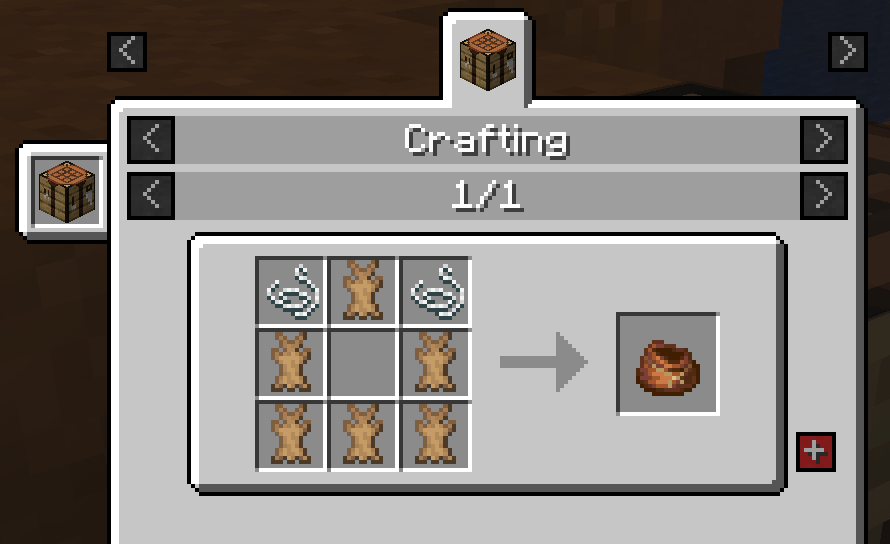
- Craftable Bundles (Rabbit Hide)
All gamerules are vanilla except for playersSleepingPercentage = 1. Some chunks have been pre-generated to help with performance.
The server is currently vanilla but may switch to Fabric+Lithium+Carpet in the future for better performance and additional tweaks.
Admins
Players
DeltaWhy

Owner, founder, and admin of Deltacraft. I like redstone, farms, storage systems, and other technical elements of Minecraft.
Legodood

(Player Template)
(edit the source code and change MHF_Steve to your username)

Say a little about yourself here. Or don't, I'm not your dad.
Home
Spawn - (0, 0)
Locations
Spawn
Coordinates
- Overworld (0, 0)
- Nether Portal N(0, 0, 0)
(Location Template)
Write a little about your town/base/farm/area.
Coordinates
- Overworld (x, z)
- Nether Portal N(x, y, z)
Modpack
Delta's Cool and Good Pack is a collection of handy mods, resource packs, and shaders for Minecraft 1.19 with Fabric, intended for use on the Deltacraft 7 server. Currently it's a Curseforge format pack, installable with most launchers including ATLauncher, GDLauncher, and MultiMC. Here are install instructions for ATLauncher - if you use another launcher you can figure it out yourself.
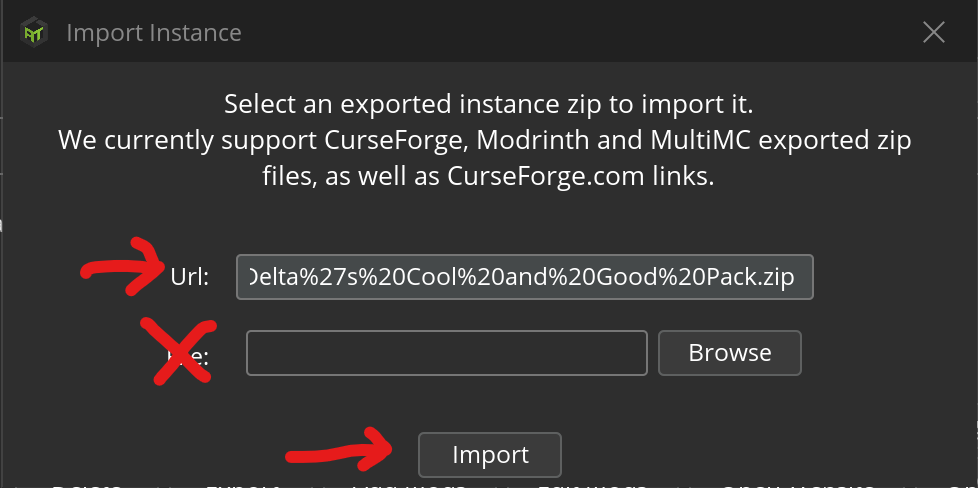
Pack URL (no need to download, paste it into the launcher): https://deltawhy.me/files/DeltasCoolAndGoodPack-1.19r1.zip
- Download and install ATLauncher.
- Sign into your Microsoft or Mojang account.
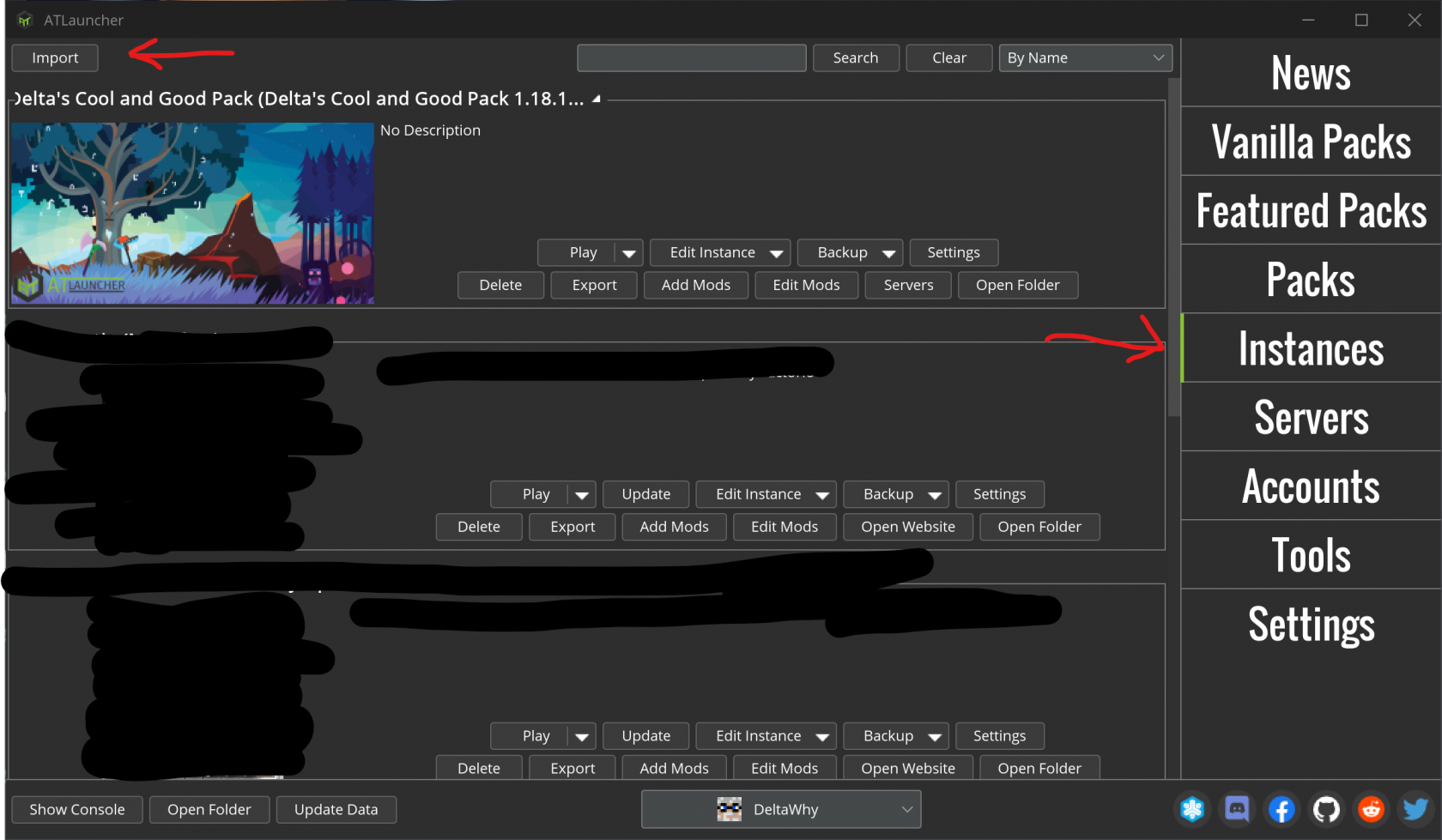
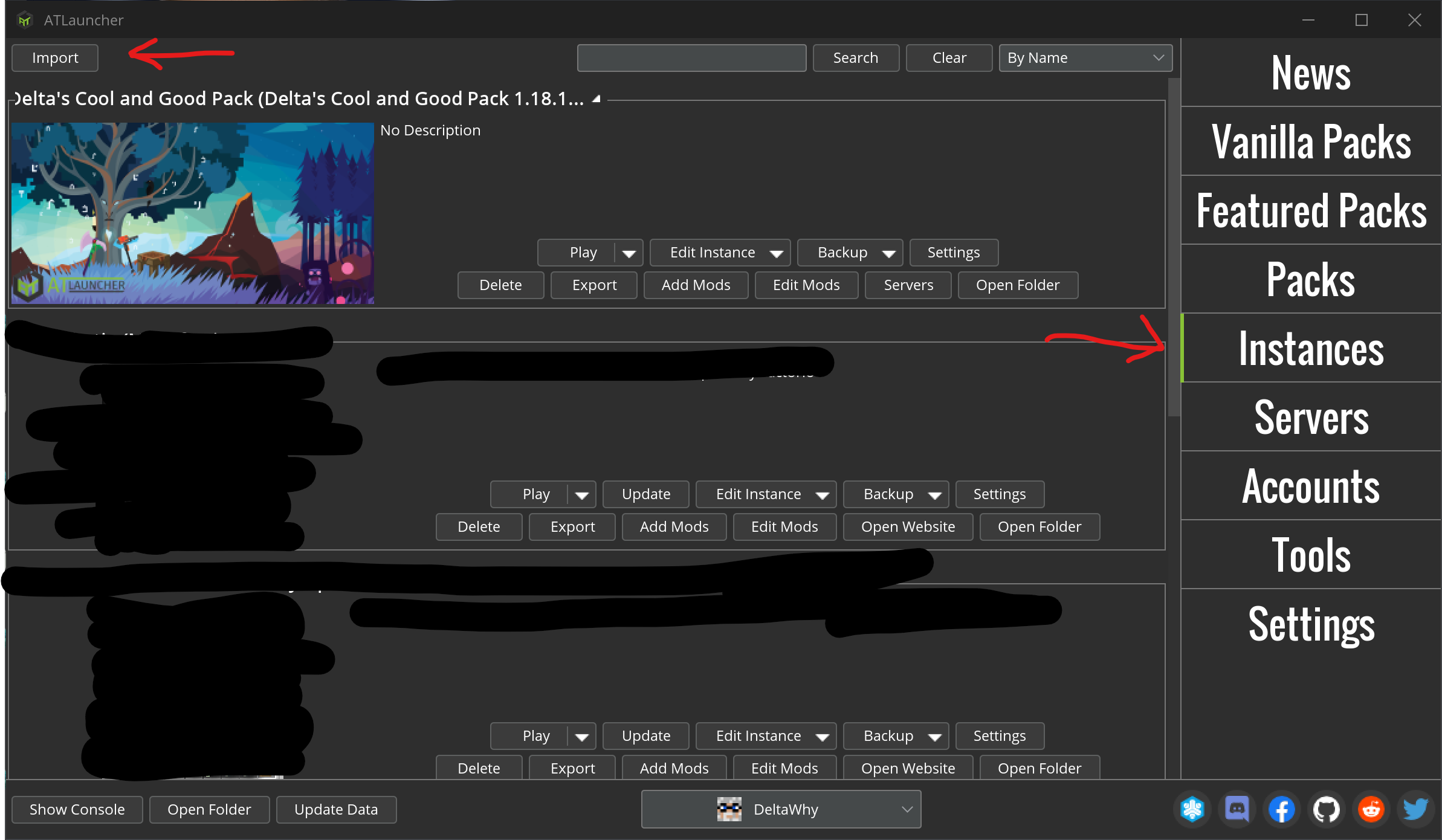
- Go to 'Instances', then click 'Import'.
- Paste the pack URL into the URL field, then click 'Import'.

- Sometimes there is an error downloading mods, if so just try it again.
ATLauncher isn't able to check for updates, so when the pack updates you'll have to import it as a new instance and remove the old one (be sure to back up any screenshots, world saves, etc. first).